
What’s New
The Opportunity Changed trigger now supports event-based operators, giving you more control over when workflows actually fire. Previously, this trigger acted like a filter, running any time an opportunity was updated as long as certain field values matched. Now, with new change-based operators, workflows can respond only to meaningful updates.
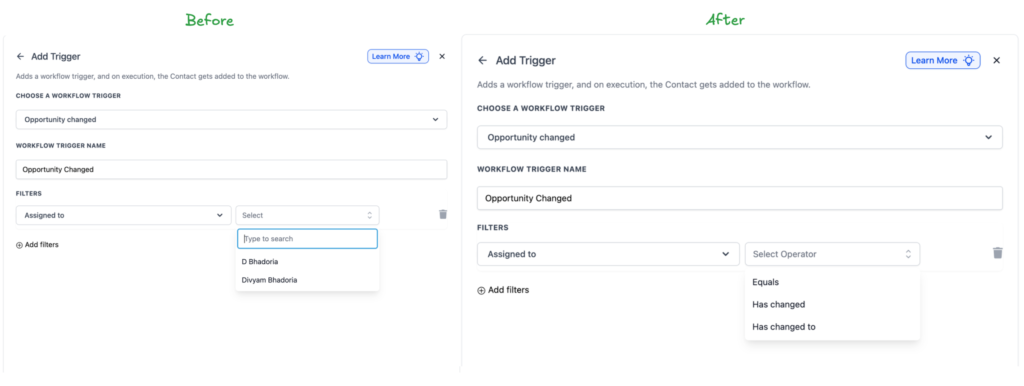
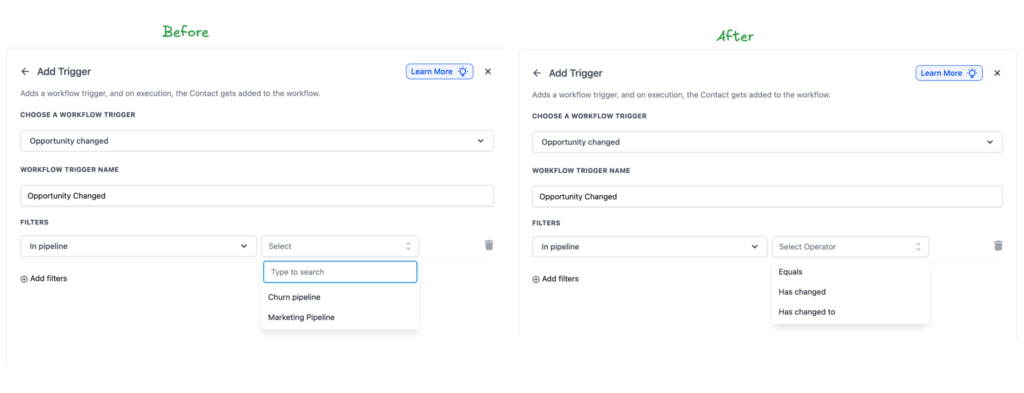
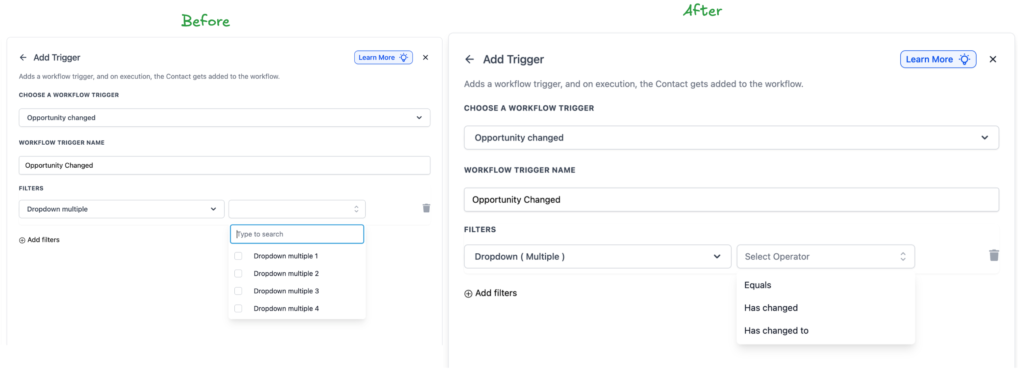
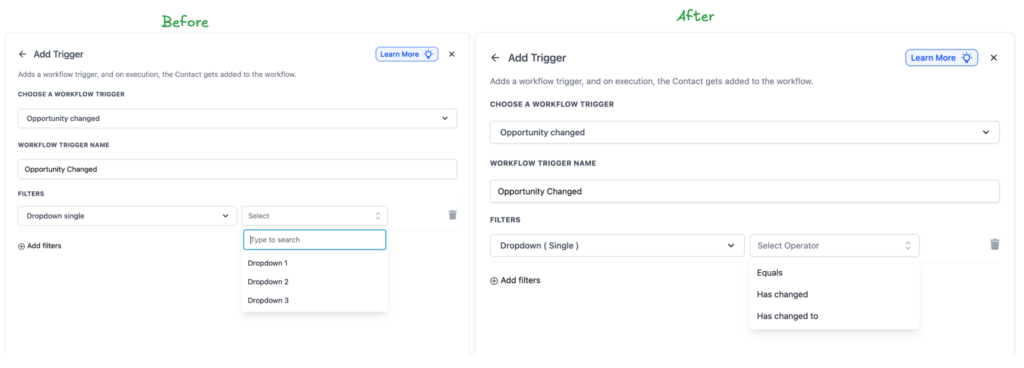
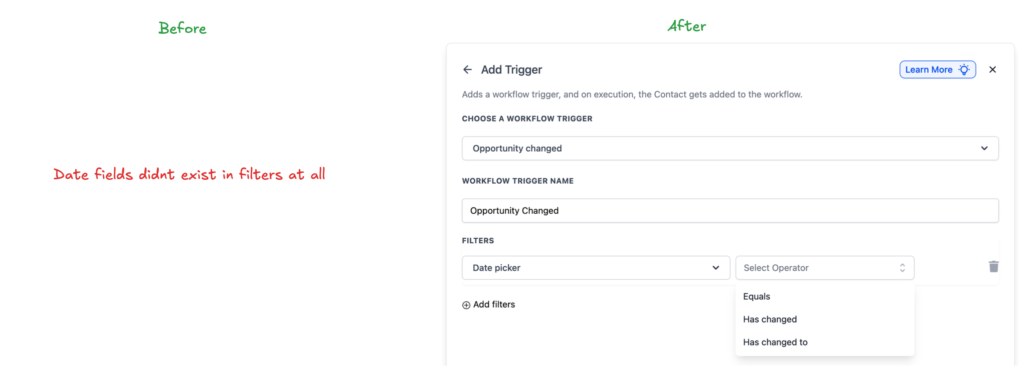
You can choose from Has Changed and Has Changed To, allowing workflows to run only when a specific field value is modified, not just when an opportunity is touched.
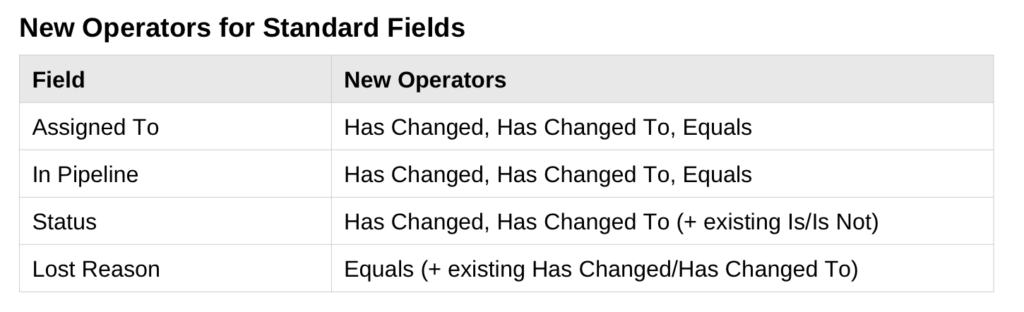
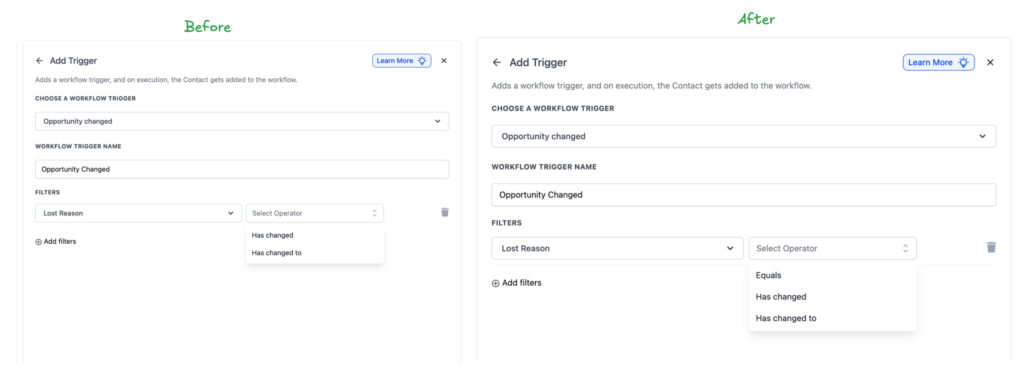
New Operators for Standard Fields
Standard opportunity fields now support change-based logic. This means updates like reassignment, stage movement, or value changes can trigger automations only when those specific fields are altered

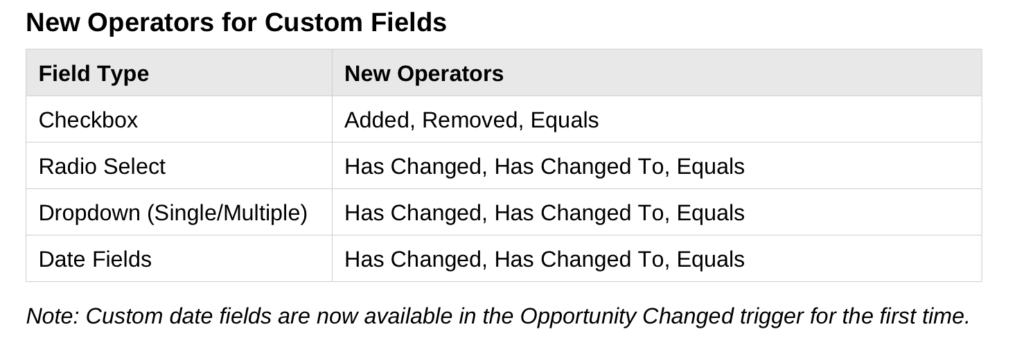
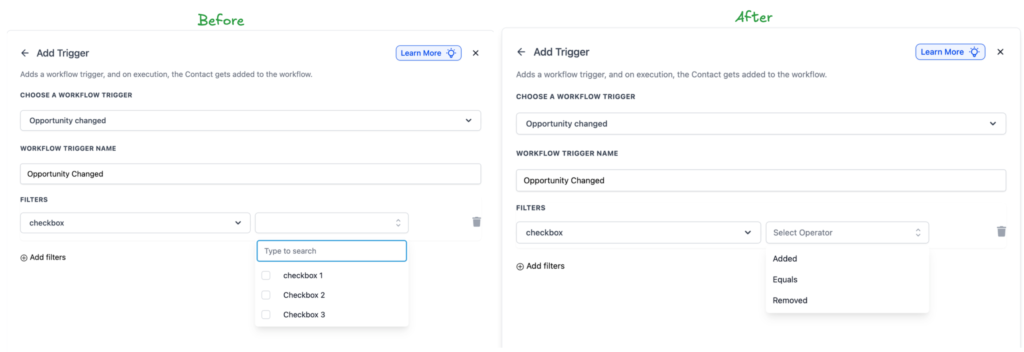
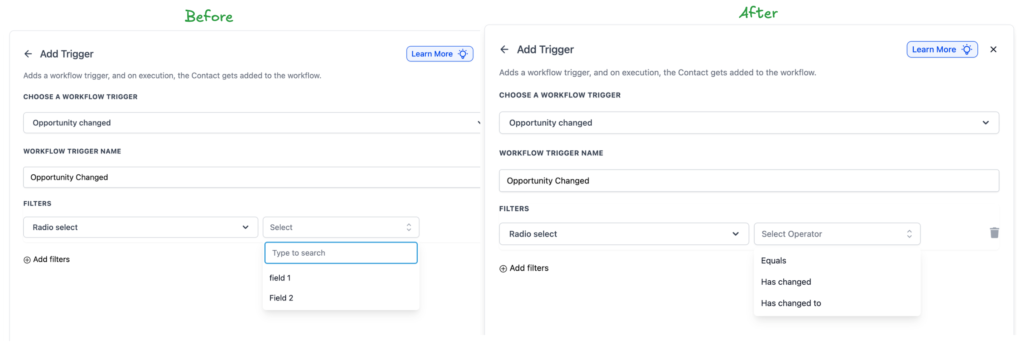
New Operators for Custom Fields
Custom opportunity fields also support the new operators. Whether you are tracking internal statuses, sales notes, or custom scoring fields, you can now trigger workflows only when those values truly change.
Why This Matters
Previously, a trigger like “Assigned To equals John” would fire every time anything changed on John’s opportunities. Adding a note, adjusting a value, or updating a tag could all trigger the same workflow, even though the assignment never changed. With Has Changed To, the workflow runs only when the Assigned To field actually changes to John. Other updates are ignored. This reduces noise, prevents accidental automations, and keeps workflows focused on real events.
How to Use It
Edit or create an Opportunity Changed trigger, choose a standard or custom field, and select one of the new change-based operators. Existing workflows remain untouched and continue using the Equals behavior by default, so nothing breaks. This update makes opportunity automation more precise, predictable, and easier to scale as your workflows grow.