

Overview
Managing SEO audits is now more flexible with the ability to delete site projects. If you’ve reached the site projects limit, you can remove an existing project to free up space and continue auditing new sites without interruption.
How It Works
Deleting site projects takes only a few steps:
• Open the SEO section
• Choose the site projects you want to remove
• Confirm the deletion
The system processes the change immediately and updates your SEO quota.

What Happens When You Delete a Site Project
Deleting site projects triggers three immediate changes that impact your account and sites.
Quota Restoration
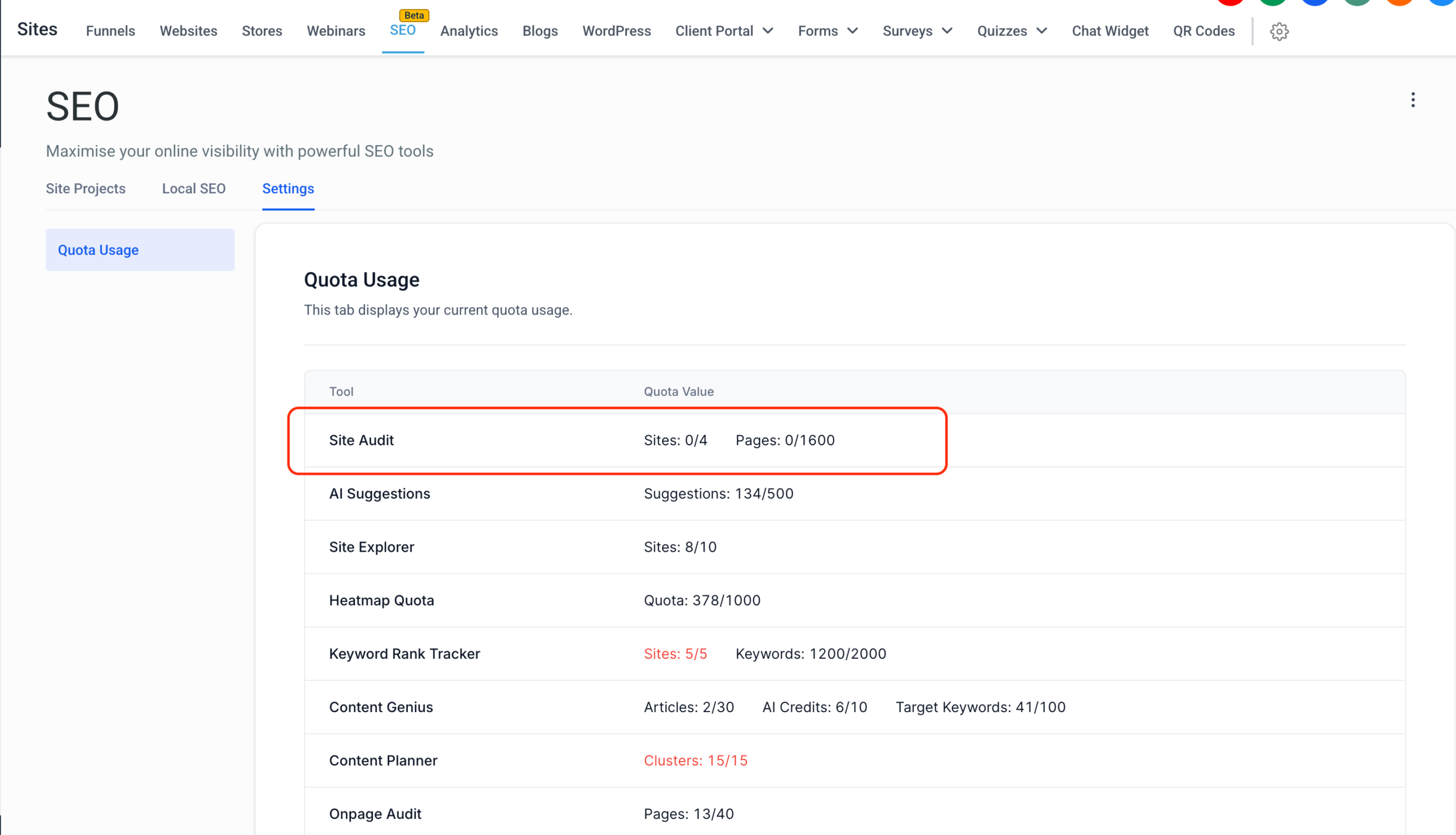
Your SEO quota is restored as soon as a site project is deleted. You can review your available site projects at any time under Settings → Quota Info.
SEO Fixes Reverted
All fixes applied through the deleted site projects are automatically removed. This includes funnel paths, blog paths, and external SEO updates made during the audit.
Permanent Action
Deleting site projects is permanent. Once confirmed, the site projects and all related fixes are fully removed and cannot be recovered.
Why It Matters
This update gives you greater control over your SEO quota and site projects. You can test new domains, manage multiple client sites, or shift focus to higher-priority properties while keeping your SEO strategy adaptable and efficient.