Overview
Refreshing a snapshot can change the structure of workflows built from it. In the past, if a step was removed, contacts waiting at that point could remain paused indefinitely. Snapshot refresh cleanup now handles this automatically by removing those contacts and alerting you only when a workflow is impacted.
What’s New
• Contacts waiting on steps removed during a snapshot refresh are automatically cleared to avoid stuck contacts
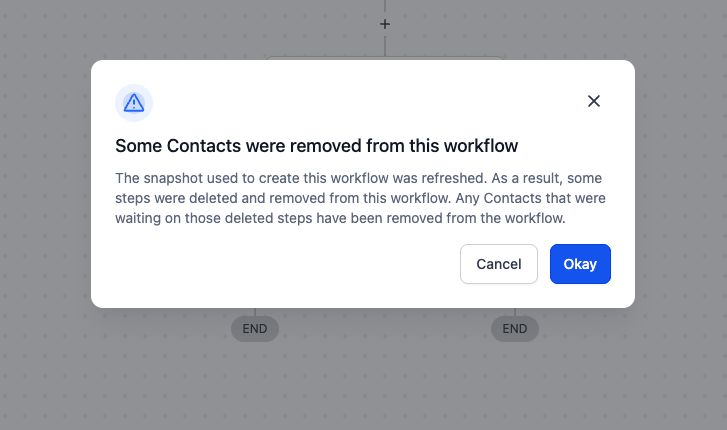
• A single notification appears the first time you open a workflow affected by the refresh
• Execution Logs now include a “Removed by – Snapshot Refresh” entry with additional workflow cleanup details in the side panel
How It Works
• Refresh your snapshot
• If any steps are removed, snapshot refresh cleanup runs automatically
• Waiting contacts are cleared and a one-time notice is shown when you open the workflow
• No manual workflow cleanup is needed
Why It Matters
This update eliminates stuck contacts, keeps workflows running accurately, and reduces time spent on manual intervention, allowing automations to stay reliable.
Notes
• Applies only to workflows created from snapshots when steps are removed during a refresh
• Manually deleting a step in a workflow already clears waiting contacts and is unchanged
Preview