
What’s New?
Google Demand Gen Ads are now available as a campaign objective inside Ad Manager, alongside the existing Search objective.
This campaign type is built for upper- and mid-funnel growth, focusing on visually engaging placements and video-driven storytelling. It also consolidates what previously required separate Discovery, YouTube, and Gmail campaigns into a single streamlined setup.
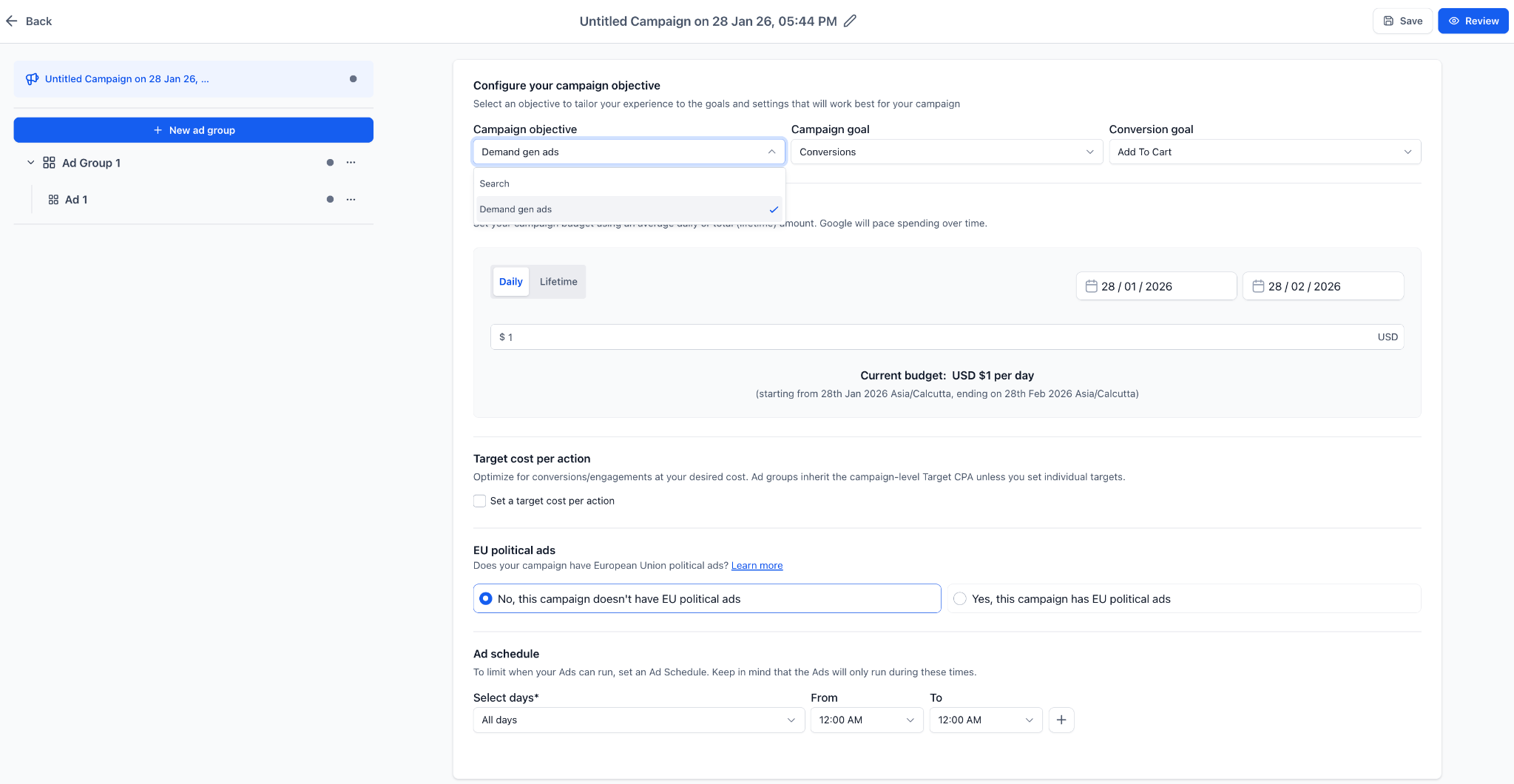
Supported Campaign Goals
When creating Google Demand Gen Ads, you can choose from three optimization goals depending on your strategy.
Conversions allow you to select existing conversion actions from your connected Google Ads account, with optional Target CPA bidding.
Clicks focuses on driving traffic and supports optional Target CPC bidding.
YouTube Engagements optimizes for viewer interaction and supports video ads only, with optional Target CPA settings available.

Expanded Inventory Reach
Google Demand Gen Ads unlock access to a broader range of placements across Google properties.
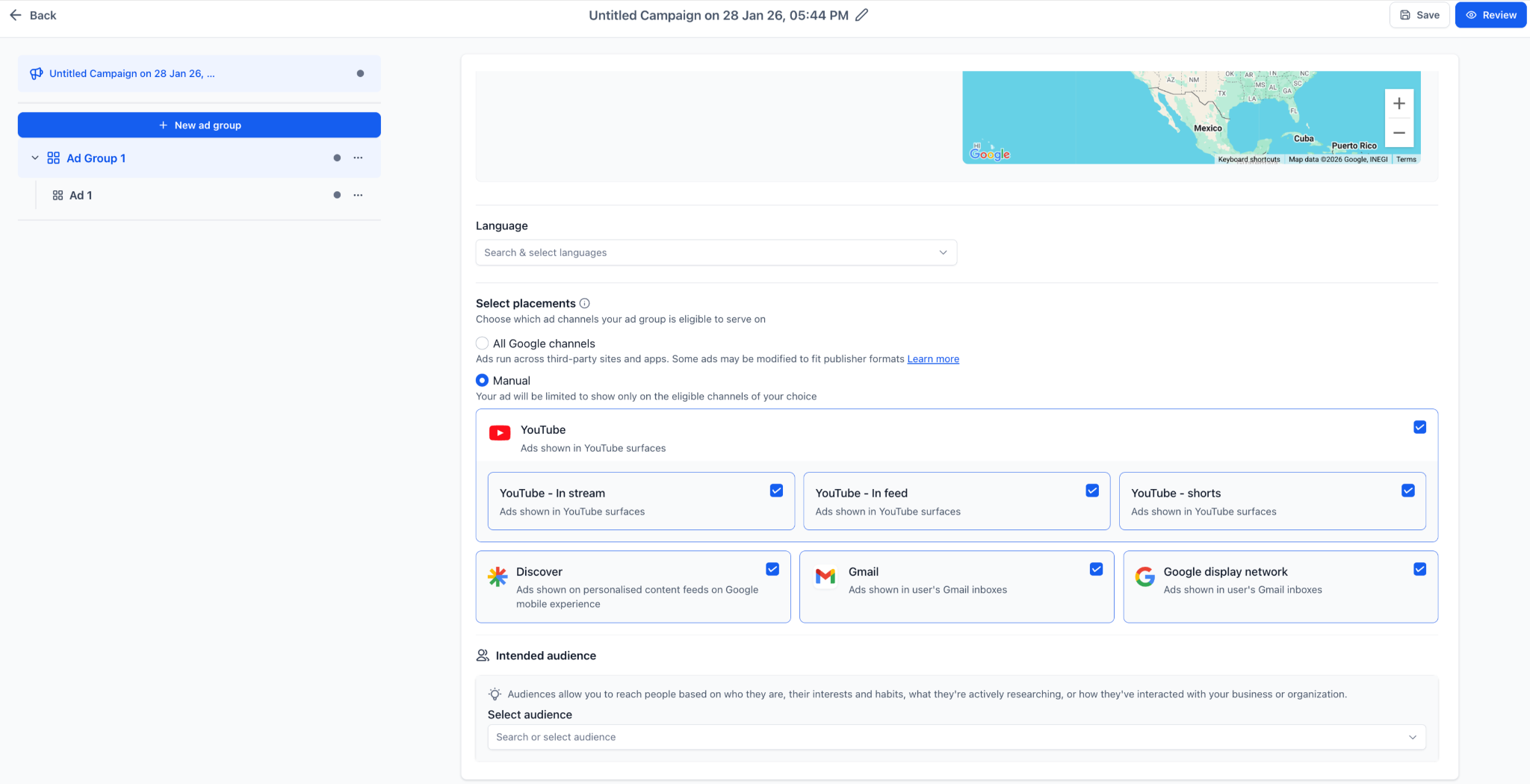
Your ads can appear on YouTube (including In-feed, In-stream, and Shorts), the Google Discover feed, the Gmail Promotions tab, the Google Display Network, and additional Google partner surfaces.
This extended reach helps maximize visibility across multiple high-traffic environments.
Flexible Budget and Scheduling
You can control campaign spend and delivery pacing with flexible budgeting options.
Choose between daily or lifetime budgets, define campaign start and end dates, and apply ad scheduling by specific days and times.
These controls allow you to manage performance and budget allocation more precisely.

Advanced Campaign Targeting
Campaign targeting is managed at the ad group level, giving you granular control over who sees your ads.
Options include geographic targeting with include and exclude settings, language targeting, and placement selection. You can choose automatic placement across all eligible Google channels or manually select placements such as YouTube, Discover, Gmail, or the Google Display Network.

Audience Targeting and Creation
Audience targeting can be configured directly within the campaign builder.
Available options include interest and affinity audiences, in-market audiences, remarketing data segments, lookalike audiences, demographic filters, and audience exclusions.
This makes it easier to align Google Demand Gen Ads with your broader campaign targeting strategy.
Multiple Ad Formats
Several ad formats are supported to match different creative strategies.
Single Image Ads support up to 20 images and require up to 5 business logos.

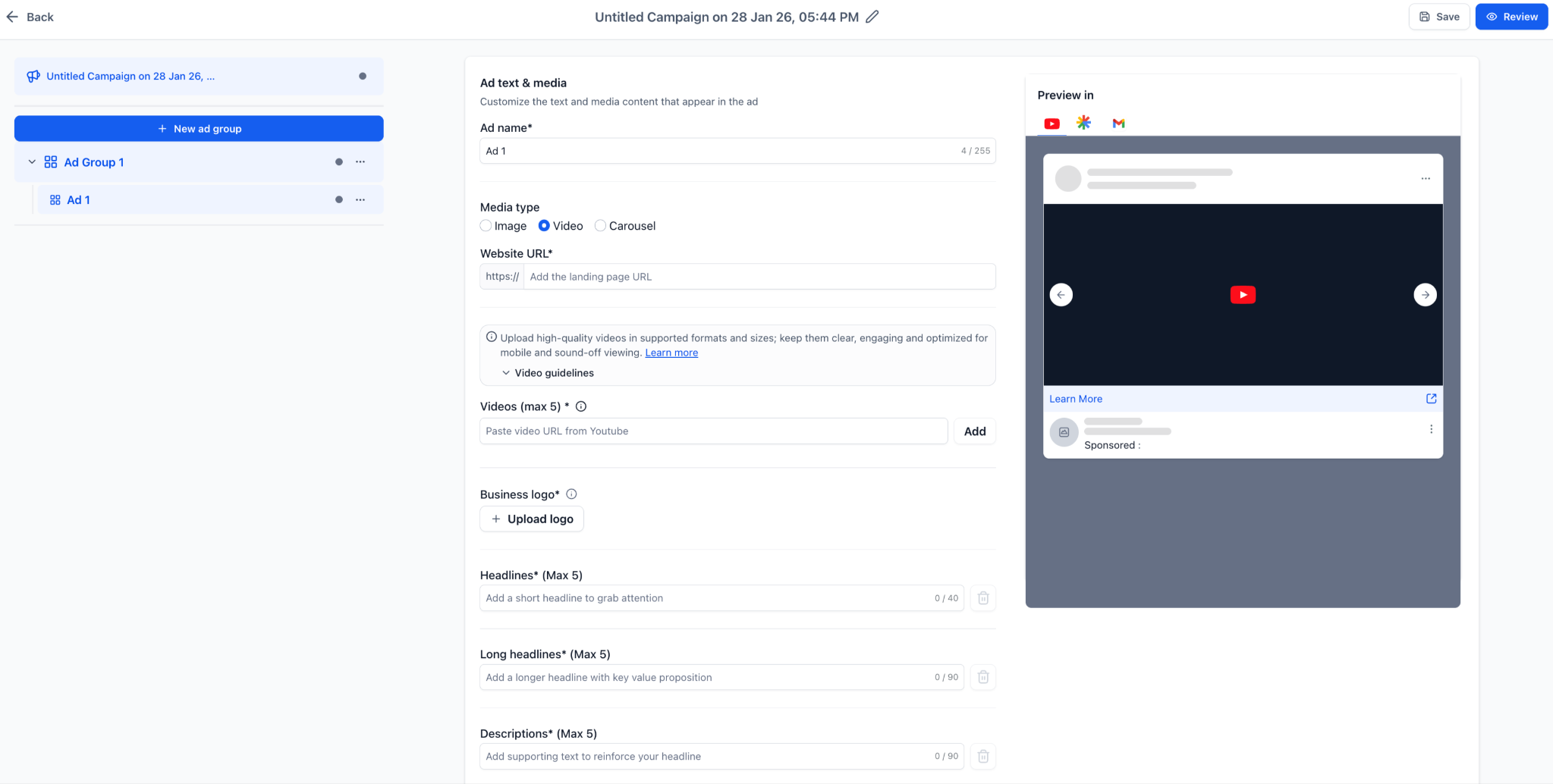
Single Video Ads allow up to 5 YouTube URLs, with a minimum video length of 10 seconds. Multi-aspect ratios such as 16:9, 9:16, and 1:1 are recommended. Sitelinks can be added at the campaign level.
Carousel Ads require at least 2 cards and support up to 10. Each card can include up to 3 images, a headline, final URL, and CTA. Maintaining consistent branding and image ratios across cards is recommended.
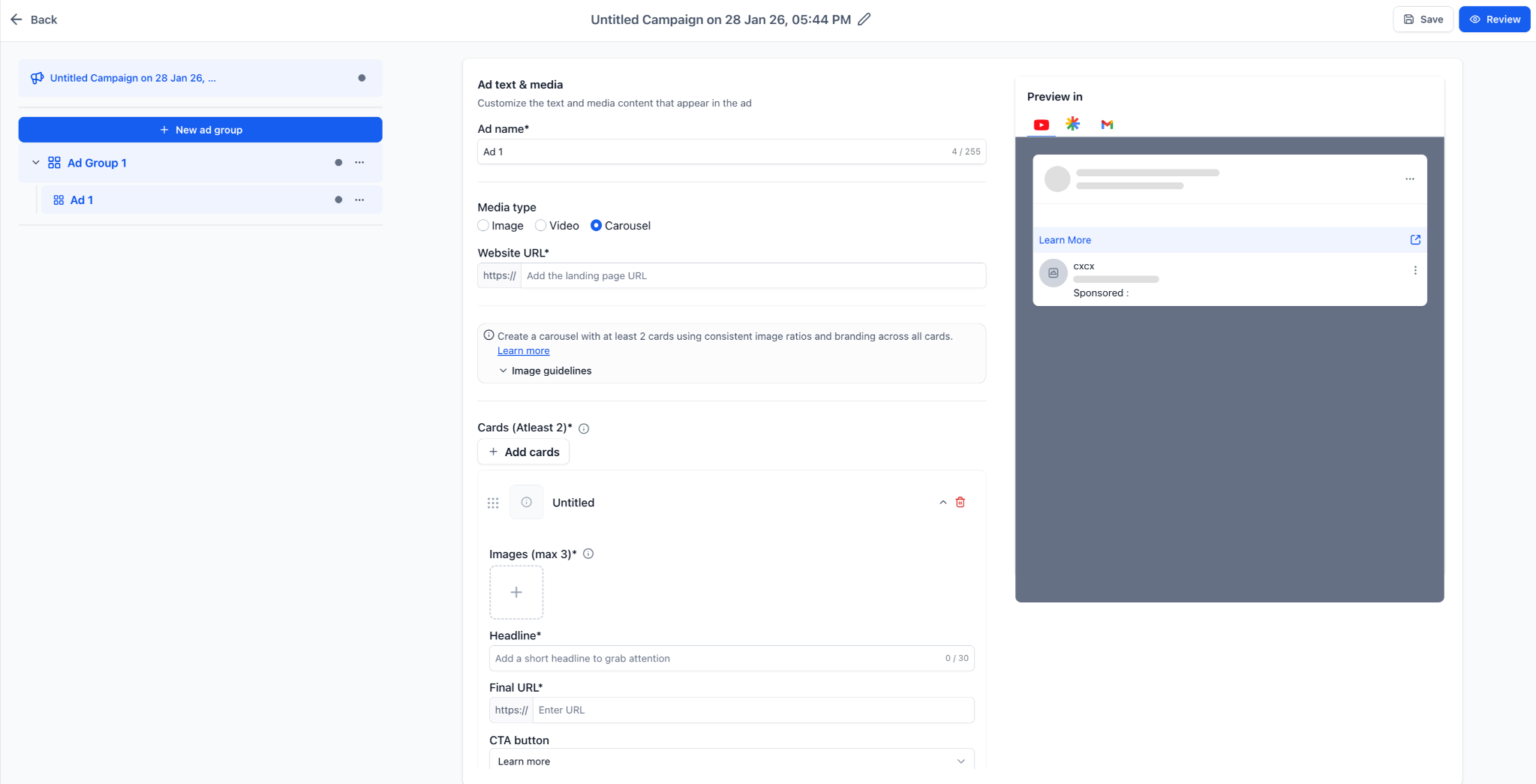
Live Ad Preview
A real-time preview is available before publishing.
You can review how your creatives will appear across YouTube, Discover, and Gmail placements, helping validate layouts and messaging prior to launch.
How to Use
To create Google Demand Gen Ads, go to Ad Manager and select Create Campaign.
Choose Google as the platform, then select Demand Gen Ads as the objective.
Next, select your campaign goal, configure budget and bidding, set campaign targeting at the ad group level, build your ads using the supported ad formats, review your setup, and publish.
Why Use Demand Gen Campaigns?
Google Demand Gen Ads are designed to generate interest before users actively search. This makes them especially effective for brand awareness, product discovery, and longer customer journeys.
By combining expanded inventory, advanced campaign targeting, and flexible ad formats, you can run more comprehensive Google campaigns from a single workflow while leveraging Google’s machine learning for optimization.
Additional Notes
At least one ad group and one ad are required before publishing.
Video ads are mandatory when using the YouTube Engagement campaign goal.
Conversion goals are pulled directly from your connected Google Ads account.
Placement behavior follows Google Demand Gen guidelines, even within the familiar campaign builder interface.